
All features
Reports
Turn a chart and structure into an editable first draft.
Report Generator
Choose a chart, start from scratch or use a saved template, and generate an editable report draft for professional review before export.

The change in the work
Less friction before the client sees the result.
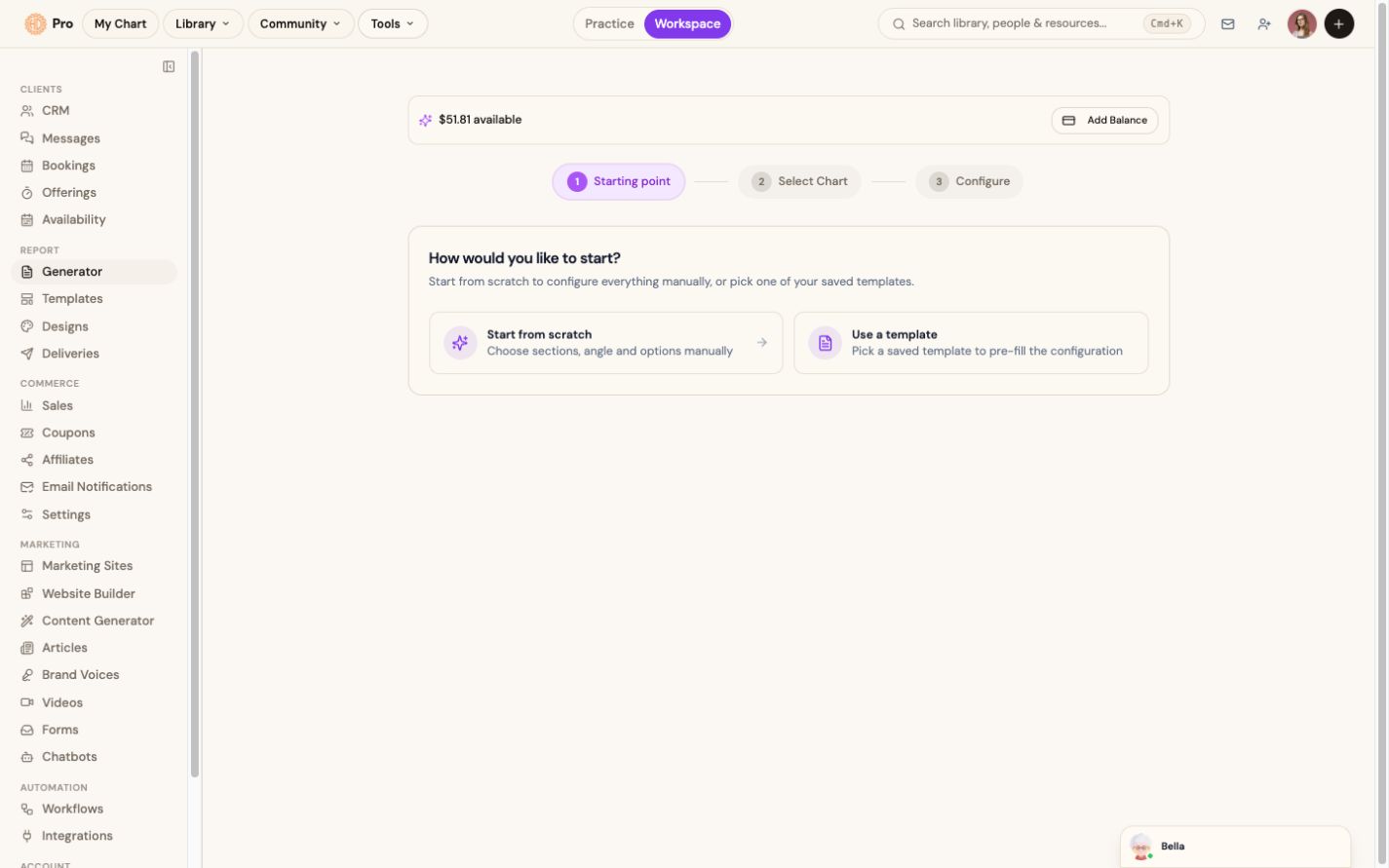
Choose a chart and generate an editable first draft from scratch or a saved template.
The live generator starts with a three-step scratch-or-template workflow.
The workflow
How report generator fits the work.
Pick a chart
Choose anyone in your library, or generate a fresh chart from birth data.
Choose the starting point
Configure the structure manually or select one of your saved report templates.
Generate and review
Create the first draft, then check and edit every section.
Export the report
Create the PDF only after the report is ready for client delivery.
What this helps you accomplish
Keep the expertise yours. Reduce the busywork.
- Start with a chart from your library
- Use a saved template or configure a new structure
- Review and edit the draft before export
Existing platform review
“The integration of AI takes the experience to an entirely new level, allowing me to access insights from my own chart—or my clients’ charts—quickly and efficiently.”
Isabel S. Churchill · January 24, 2026
Read the source reviewCommon questions
Know what the feature does and does not do.
Do reports use my AI credit?+
Yes. Generative reports draw from the AI credit included with your billing option, and you can purchase additional credit when needed.
Can I edit the report before sending?+
Always. The generated reading is a starting draft you fully control, edit, restructure or add your own notes before exporting.
Can I change the report structure?+
Yes. Start from scratch or use an editable template, then review the report structure and content before export.
Continue exploring